



FlashForge and Meshy AI have announced a direct software integration that embeds AI image to 3D model generation into FlashForge's Flash Studio desktop application. The integration allows Creator 5 users to generate 3D models from text or image prompts within Flash Studio and send them directly to print with automatic texture-to-filament colour mapping, eliminating the manual slicer configuration that has traditionally separated AI-generated assets from physical multicolour output.
The partnership addresses a persistent friction point in consumer 3D printing. Traditionally, the intermediate workflow between AI-generated model and finished print required opening a slicer, painting colour zones by hand, assigning each zone to a filament, and configuring the output file. For beginners, that process represented a barrier to original creation. For experienced users, it added time between design and physical output.
AI Image to 3D Model Workflow
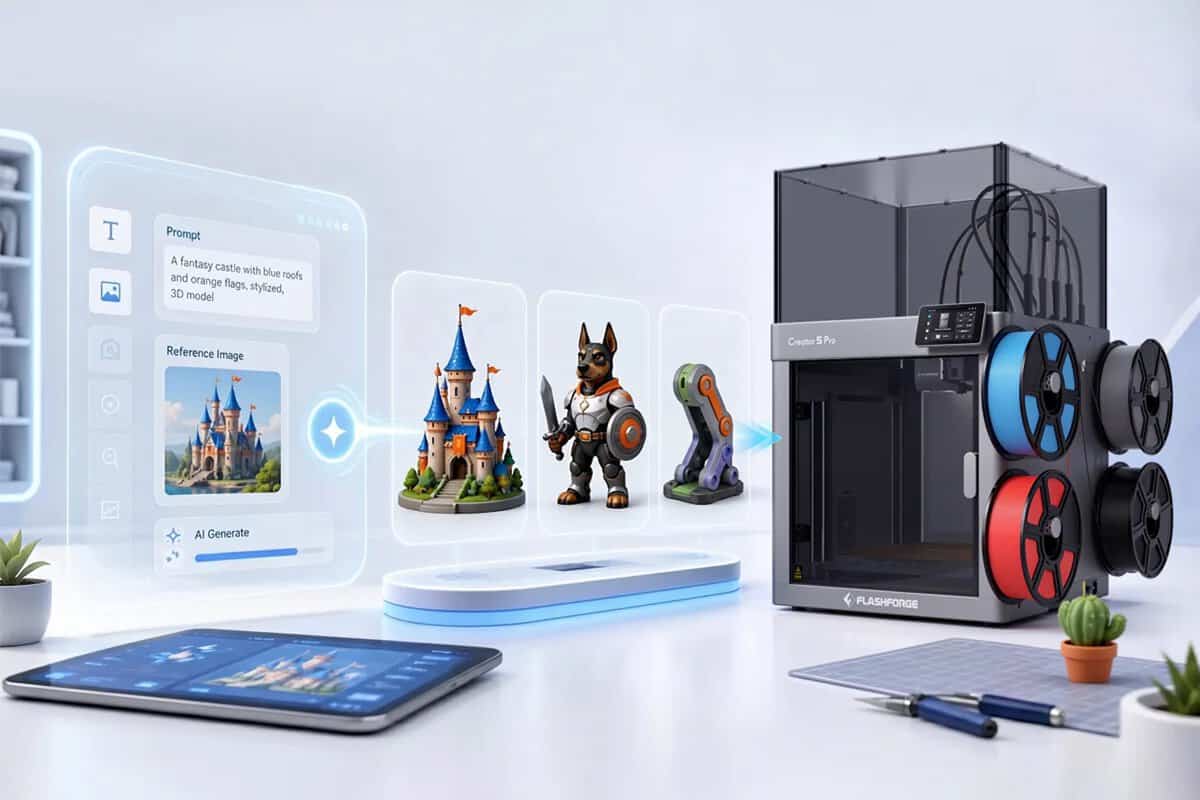
Meshy's integration into Flash Studio connects the image-to-3D generation pipeline directly with FlashForge's print preparation tools. Users launch Meshy from within Flash Studio, generate a model from a text prompt or reference image, and return to the slicer in a single click. No file export or third-party tools are required.
The core technical capability is Meshy's automatic texture-to-filament colour mapping. Rather than requiring users to manually paint colour zones in the slicer and assign each to a filament, Meshy generates a pre-configured print file directly from its AI output. The system translates digital textures into printable colour assignments for FDM workflows, mapping them to the Creator 5's four independent tool heads.
Creator 5 Hardware Specifications
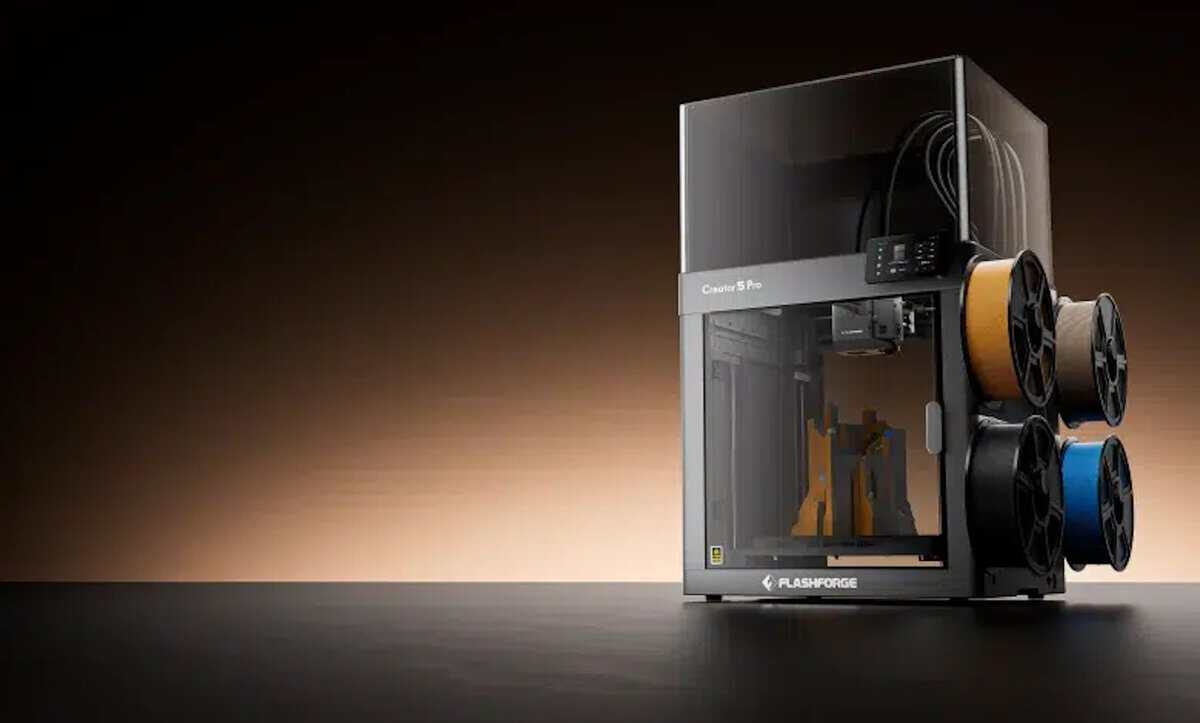
The FlashForge Creator 5, priced at US $699, uses four independent tool heads that swap in six to seven seconds with zero purge waste during colour or material switching. FlashForge states the architecture runs multicolour jobs at three to four times the speed of single-nozzle AMS-style systems. The printer offers a 256 x 256 x 256 mm build volume on a CoreXY frame and supports multi-material structures in a single pass, including combinations of TPU and composite materials. Automatic bed levelling, vibration compensation, and PA flow calibration are included.
Meshy AI Platform Capabilities
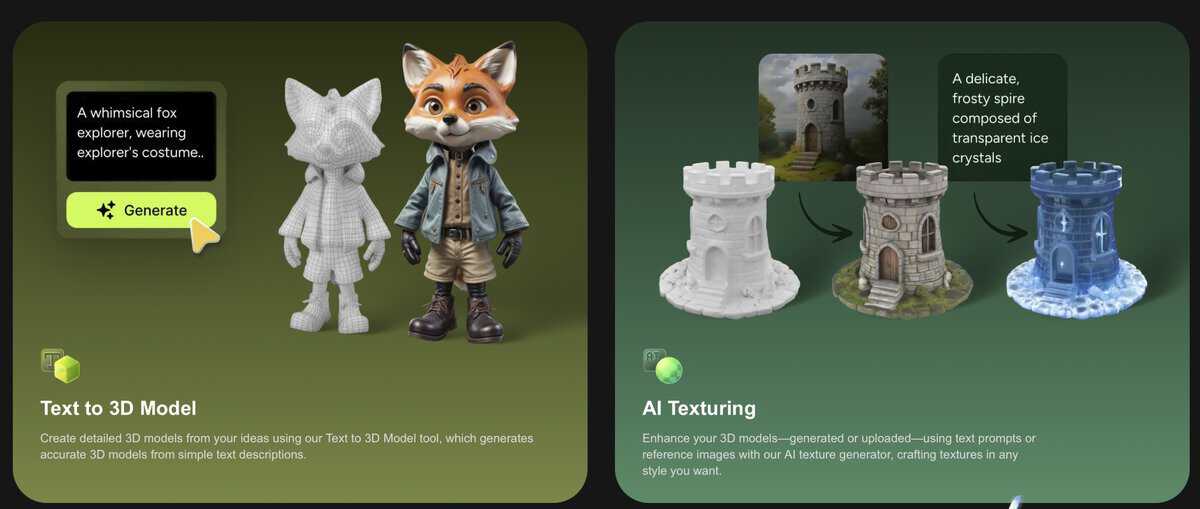
Meshy's generation engine supports both hard-surface and organic model outputs, covering common print use cases such as props, product models, characters, collectibles, and decorative objects. The platform has generated over 100 million AI 3D models and serves more than 10 million users. Meshy also maintains DCC bridge integrations with Blender, Maya, Unity, Unreal Engine, and Cinema 4D, allowing creators to bring AI-generated assets into existing design workflows before moving toward print.
On the software side, Meshy has added a texture engine with de-lighting controls for print-ready surfaces, an enhanced hard-surface mode for mechanical and geometric models, and refined geometry output for organic and character models.
Industry Context and Outlook
The integration arrives as desktop 3D printing manufacturers increasingly compete on software ecosystems rather than hardware specifications alone. Creality's recent SparkX I7 launch with built-in AI features and the broader shift toward AI-assisted 3D printing workflows indicate that AI-to-print pipelines are becoming a competitive differentiator across the desktop segment. FlashForge's decision to integrate an external AI platform represents a partnership-based approach rather than building generation tools in-house.
FlashForge has indicated plans to launch a full-colour 3D printer later in 2026, which the company describes as a natural extension of the Meshy texture workflow. The Meshy integration is available in Flash Studio for all existing Creator 5 users. Meshy operates as a subscription service with a free tier, and FlashForge is offering a promotional US $1 Meshy membership through Flash Studio.
The convergence of AI image to 3D model generation with automated print preparation marks a notable step toward end-to-end consumer manufacturing workflows: from text or image prompt to physical object with minimal manual intervention.


Discussion